The Pointly Extension for Bentley MicroStation
3 min readProduct
Running Pointly on a point cloud used to mean taking it out of MicroStation first. You exported the data, classified it in Pointly, then imported the results back into your project.
The Pointly Extension for Bentley MicroStation removes that round trip. Install it once, and you start Pointly from the toolbar. Classification and automatically extracted vector models arrive in the project you already have open.
Pointly, where you already work
The extension adds a Pointly button to the MicroStation ribbon, under AI Tools. The panel it opens already knows your model, which point clouds you have attached and where they sit, so you can start a job without preparing anything first.
By default the extension works through the Pointly API, which needs a free Pointly account with API access activated. If your data stays inside your own network, you connect a Pointly Box on site. The panel works the same either way.
Choose what you want to extract
Every Pointly classifier is available to you here. The pre-trained standard classifiers cover the objects most surveys need, and a classifier trained on your own class catalog runs exactly the same way.
You can classify the points, run a modeling workflow that extracts geometry or combine both in a single job.
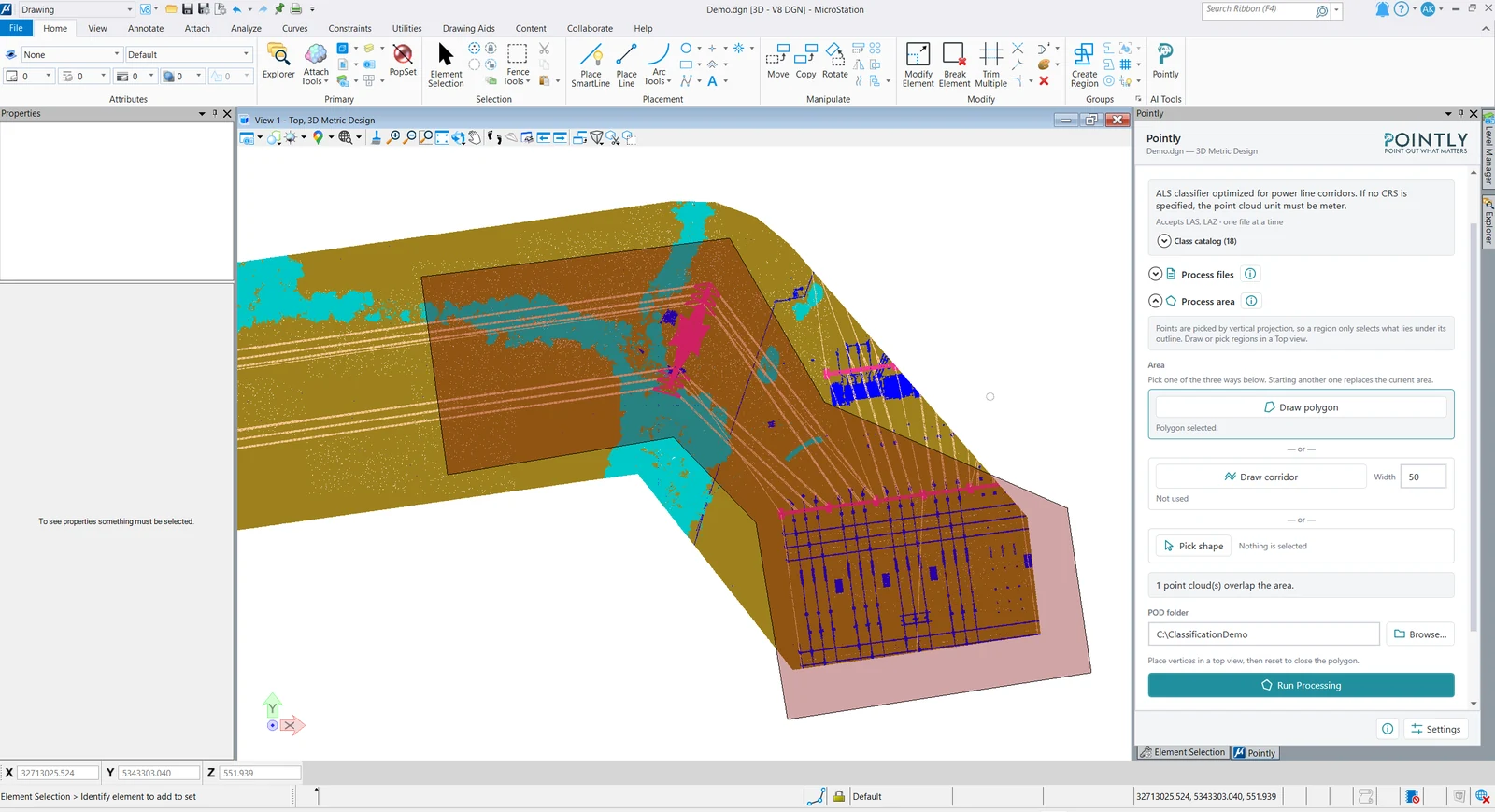
Process entire surveys, or select your areas of interest
Pointly is built for large-scale surveys, so sending whole LAS or LAZ files is always an option.
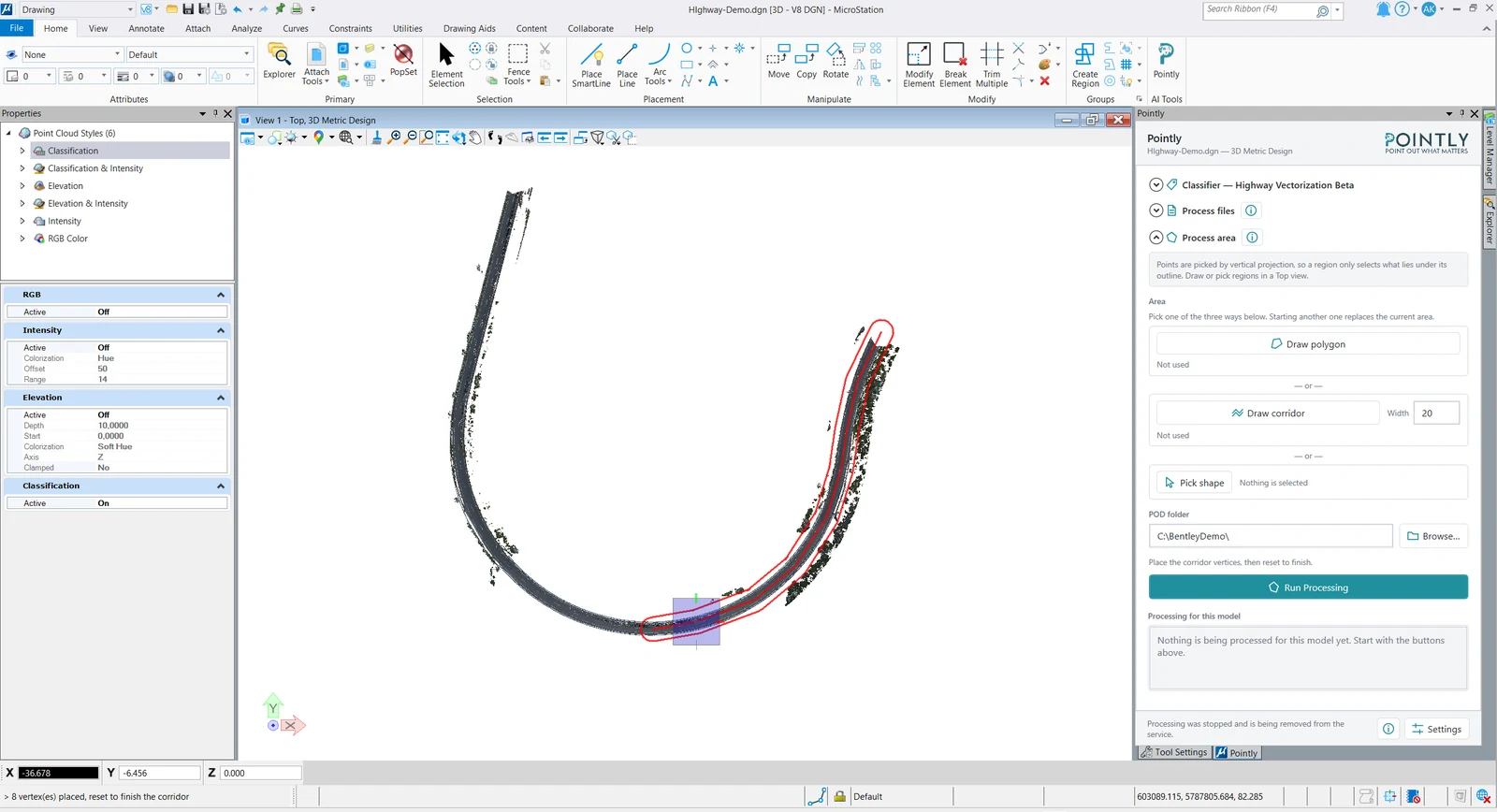
Often you only need one part of the data. The extension lets you pick that area straight on the model. Draw a polygon around the site, or draw a corridor of configurable width along a transmission route or a road, and only that section goes to Pointly. The selection reaches across every point cloud it overlaps, so you get results quickly and you get exactly the objects your current analysis needs.
Keep working while Pointly processes
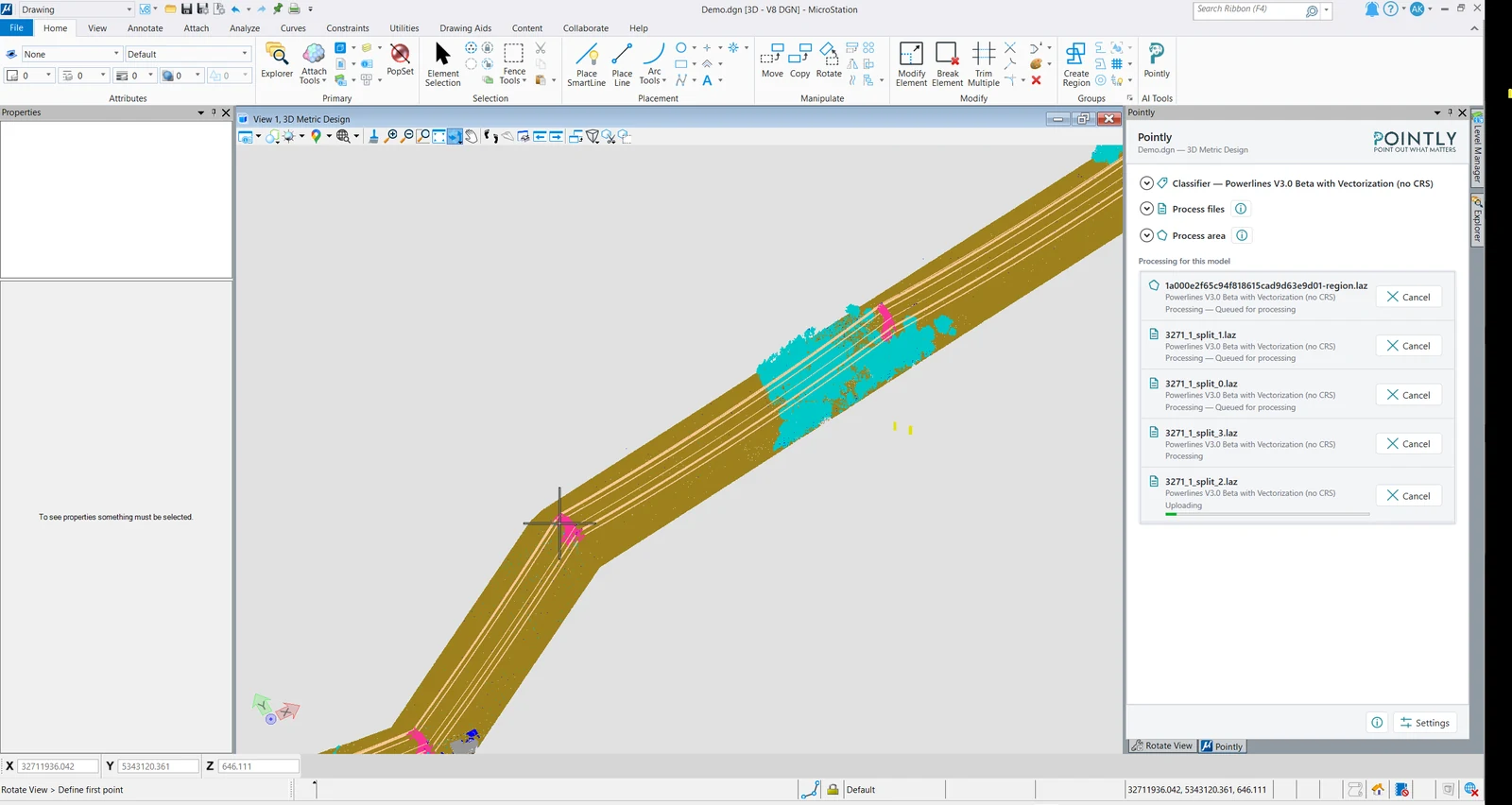
In the Pointly cloud your point clouds are processed in parallel, and the platform scales according to the job. Large areas come back efficiently.
The panel shows you each file as its own job, uploading, queued or processing, and you can cancel any one of them. You keep working in MicroStation while Pointly does the heavy processing in the back.
Results come back into your project
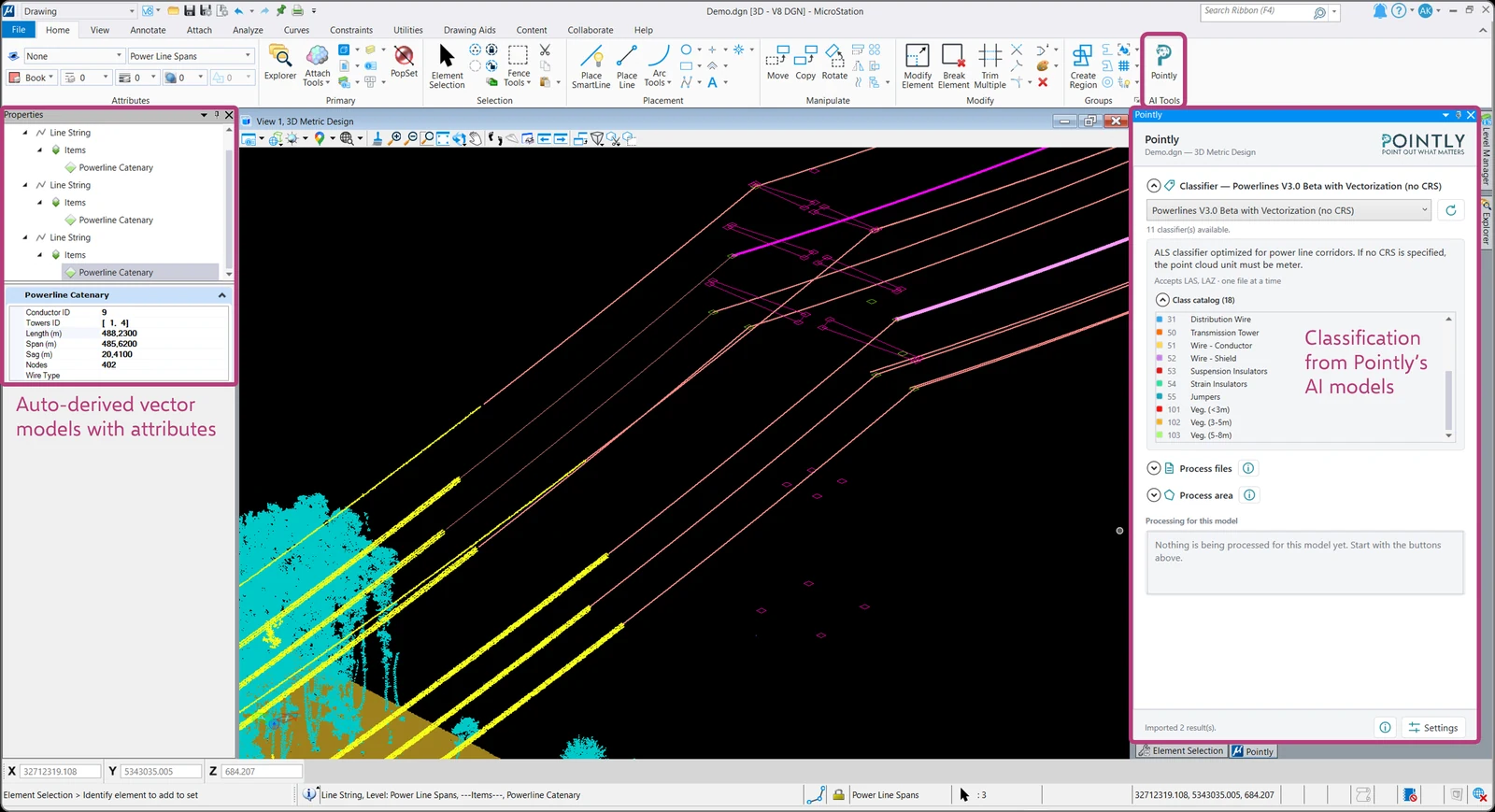
Classified points return with the class catalog the classifier was built around, ready to work with in MicroStation.
A modeling workflow goes further. It extracts geometry from the points and derives object instances that carry their own attributes. Which attributes those are depends on the workflow and the objects you asked for, and they can be tailored to what your project needs to record.
To take one example, a power line job returns each catenary span as an object, and the span carries its conductor, its towers, its length, its sag and its node count. You read those in the standard Properties dialog like any other MicroStation element.
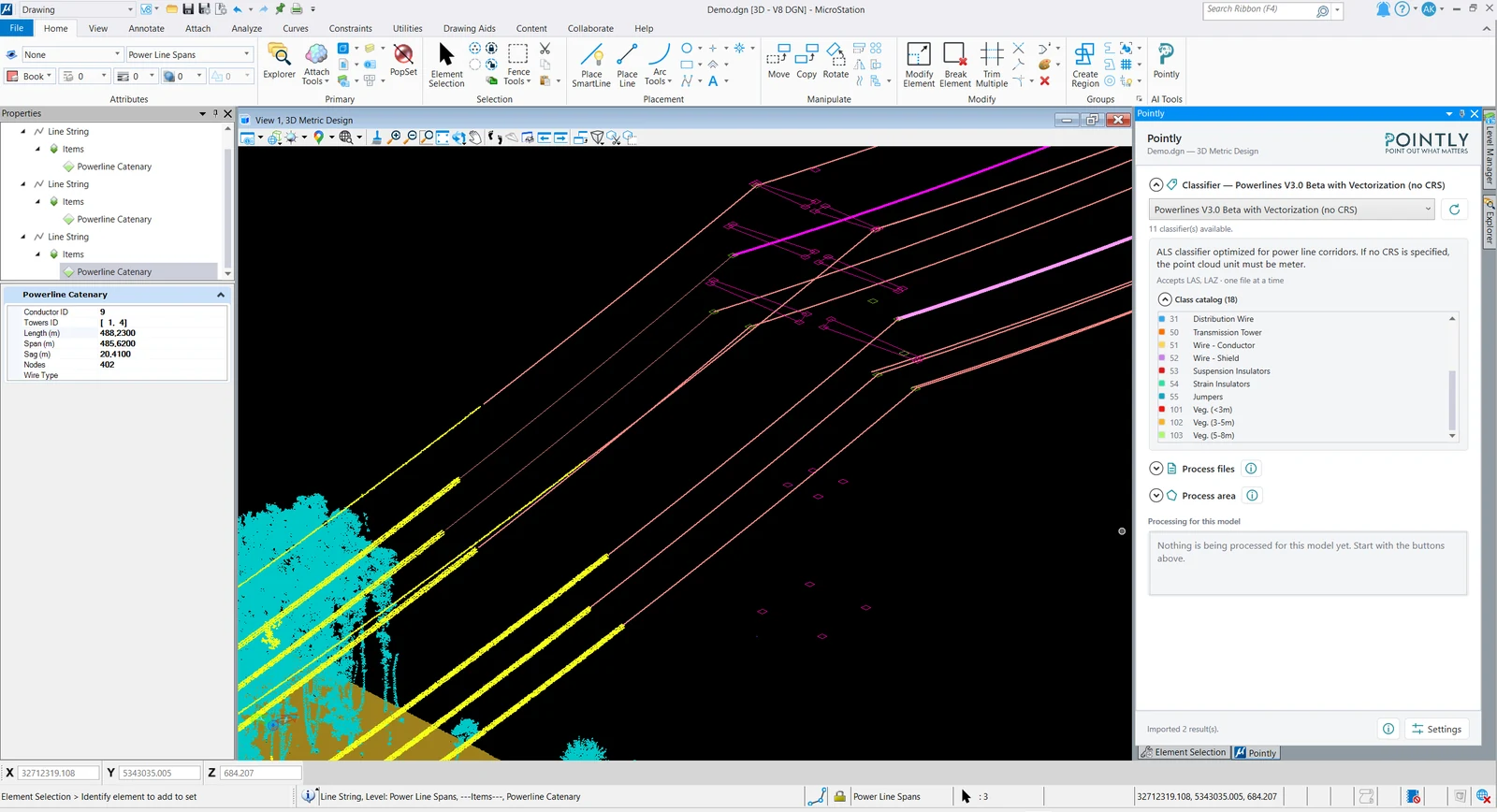
The results are written to a new model. The model you started from stays as it was.
Getting started
The extension is available now. Ask us for the installation package and we send it with its instructions.
You can try the tool with our standard classifiers for free anytime. Get in touch and we activate API access on your free Pointly account.
Read more about the four ways to run Pointly.
Read next